Features
Control it from the Parent app, your browser, or both.
Both use the same NestPatrol account. Change a rule on your phone and it shows in your browser. Change it in your browser and it shows in the app. Your child's device receives the update either way.
Parent app
Best for quick actions during the day: lock a device, add 15 minutes, answer an SOS, approve a request, reply to a message.
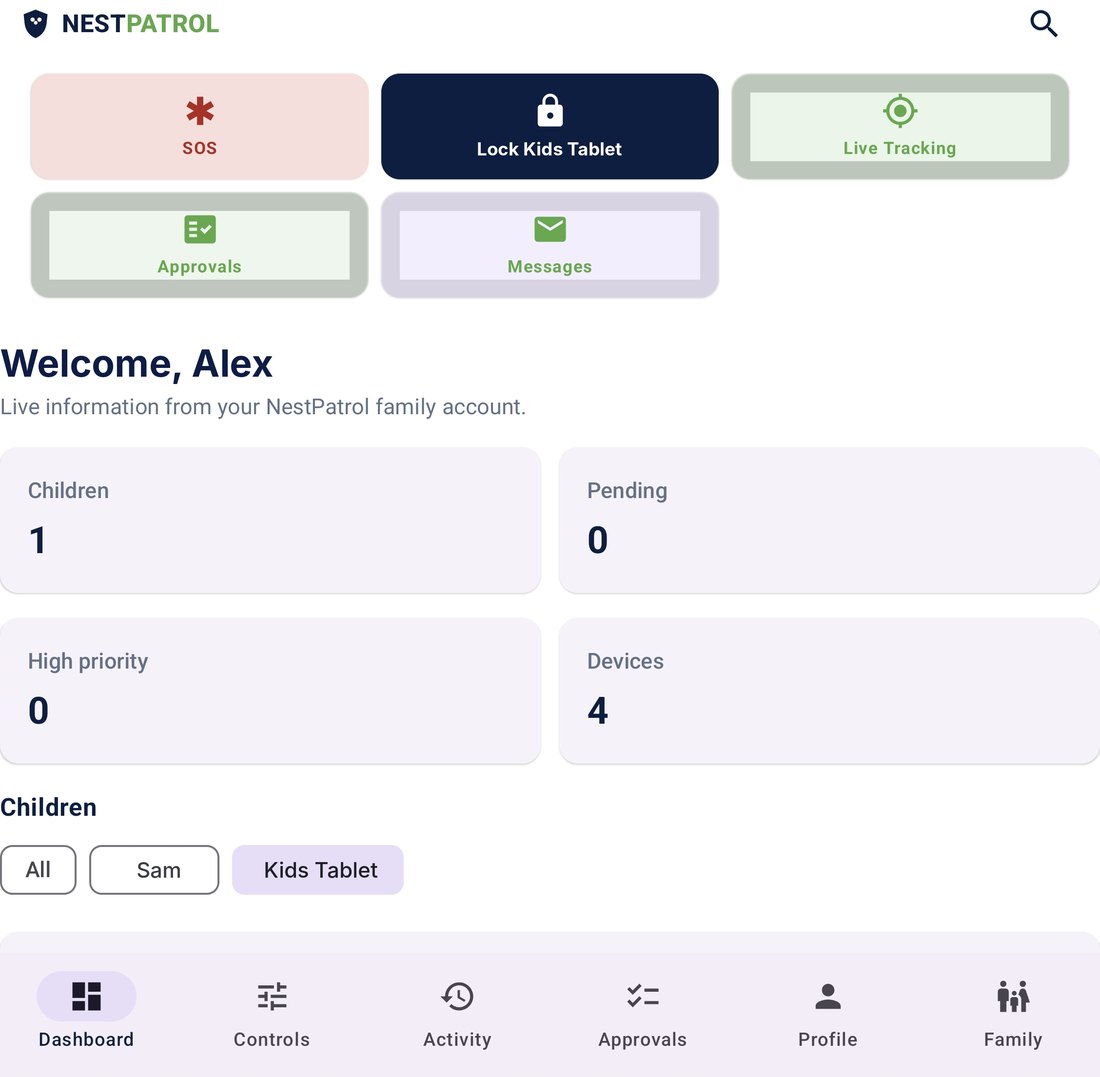
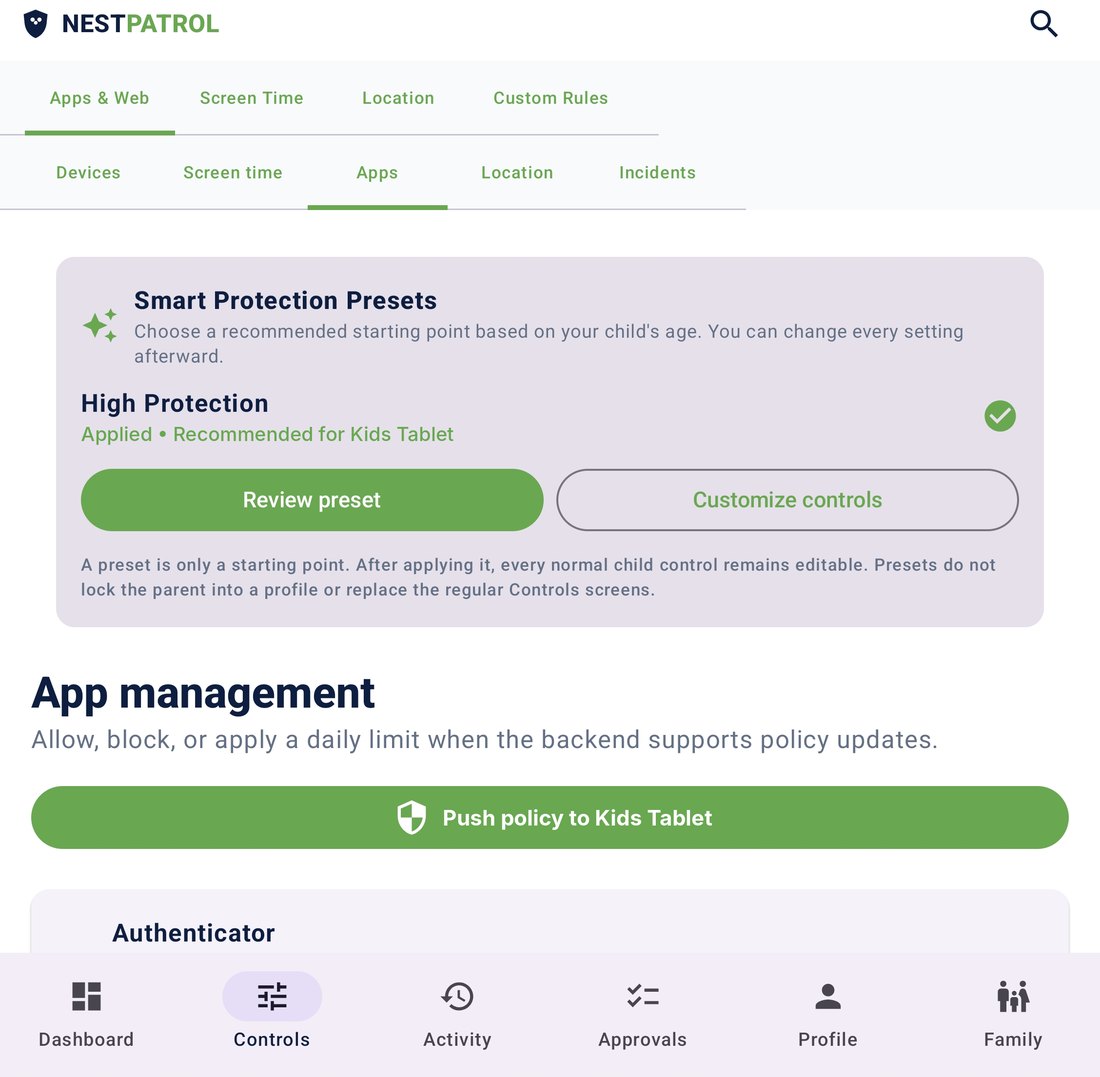
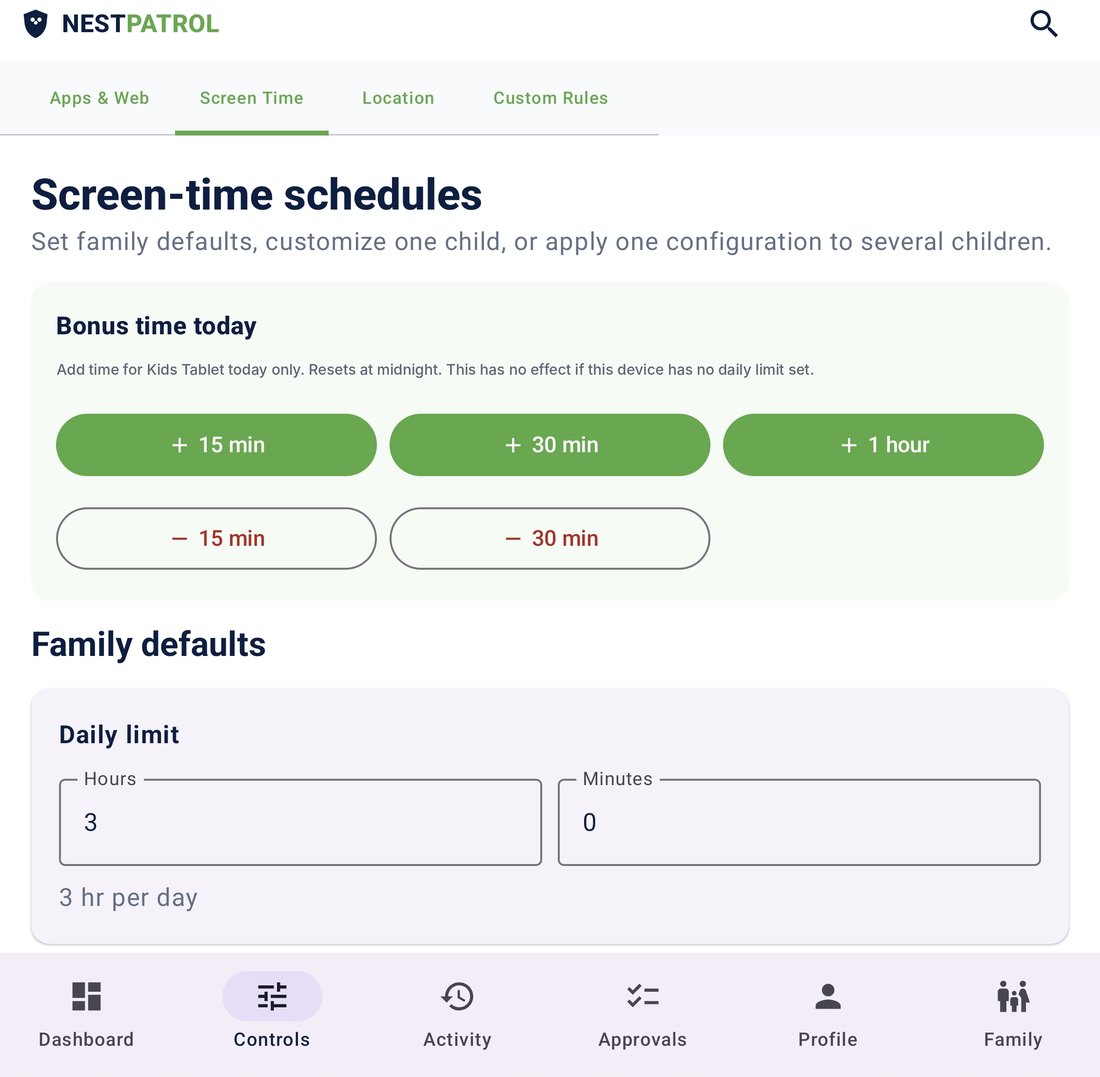
- Lock or unlock a child's device
- SOS alerts and live tracking
- Approve or deny requests
- Message your child
Browser dashboard
Best for setup and review on a bigger screen: write rules, check reports, manage every child and device. Nothing to install. Sign in at app.nestpatrol.com.
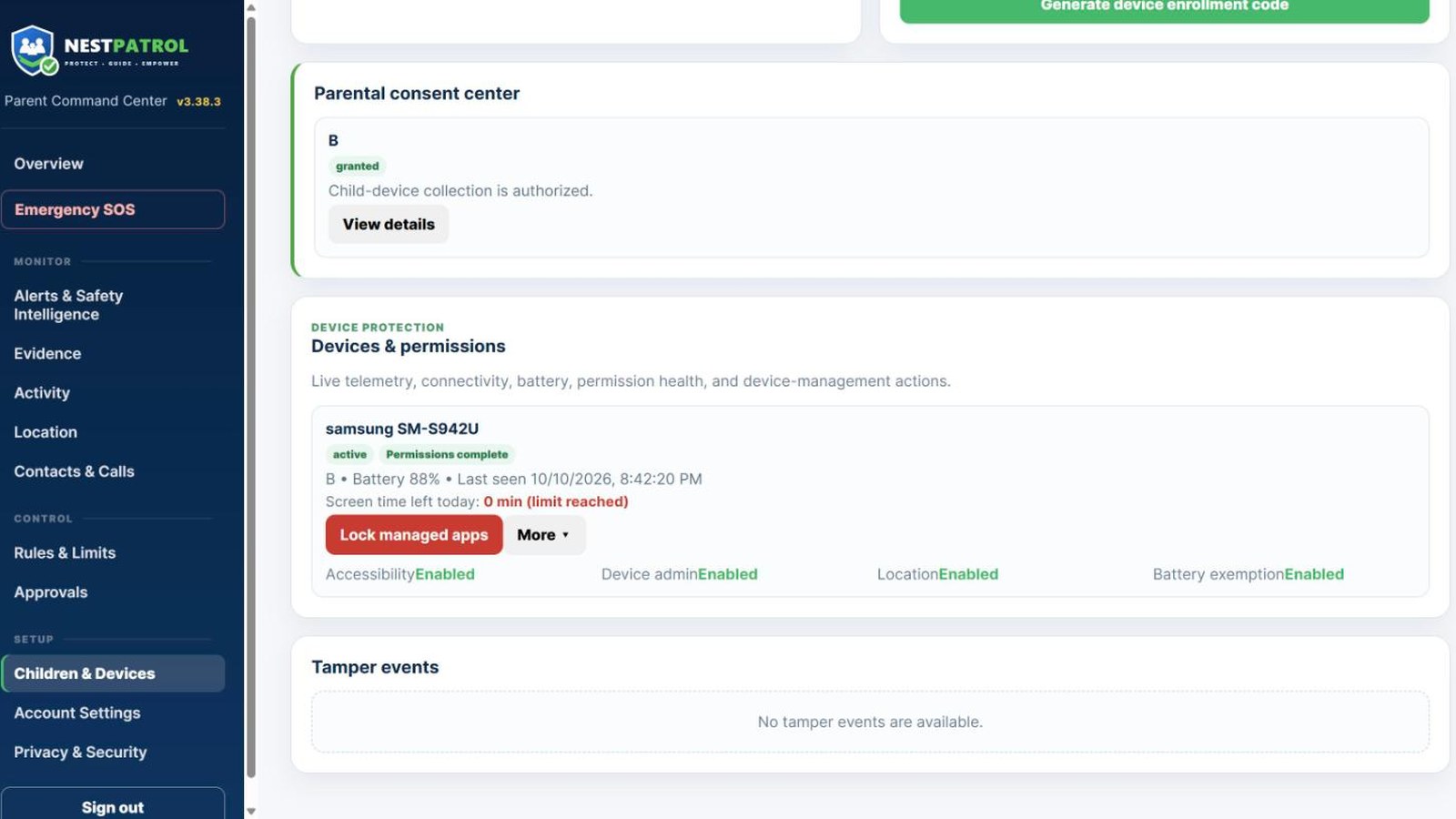
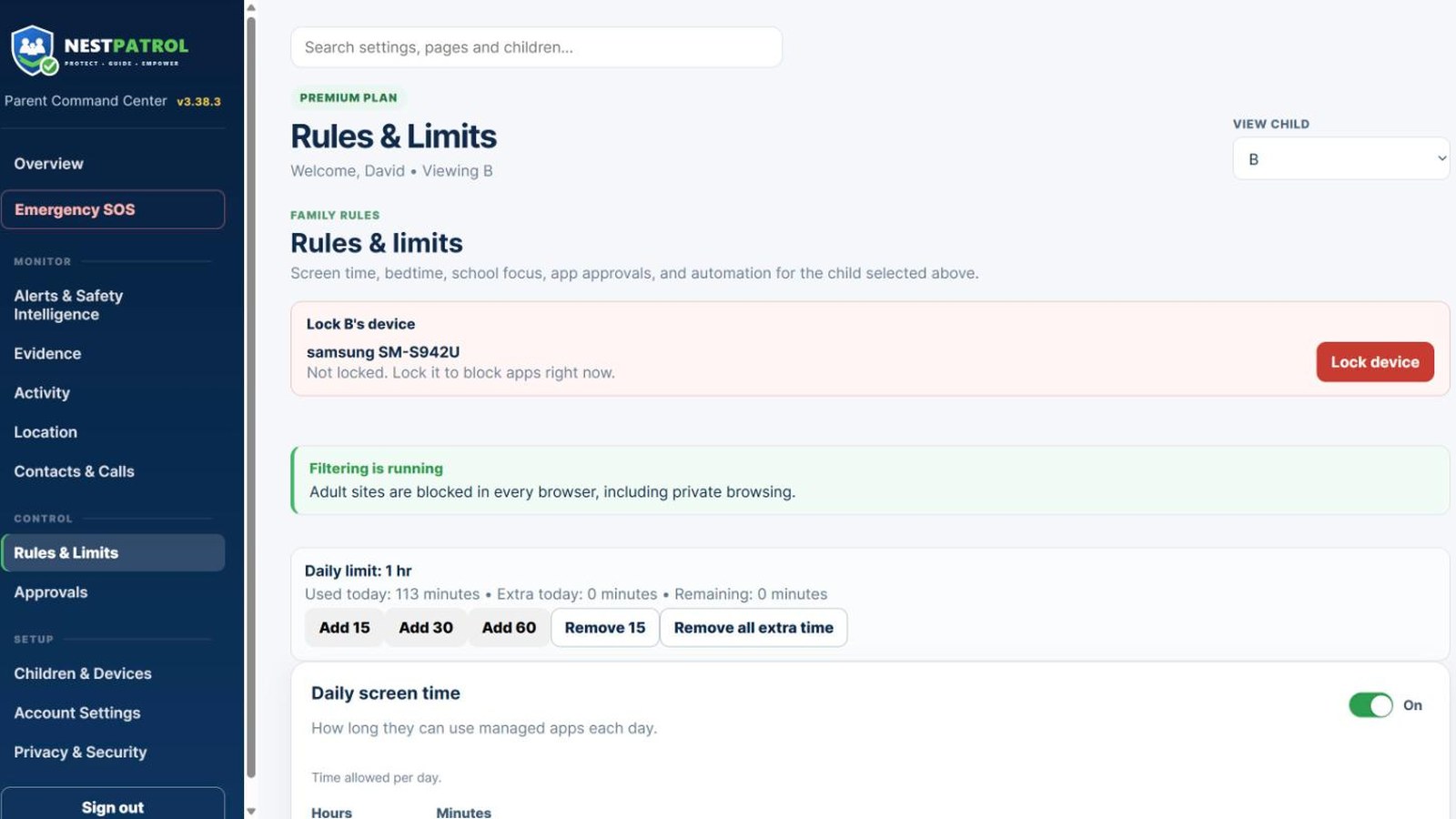
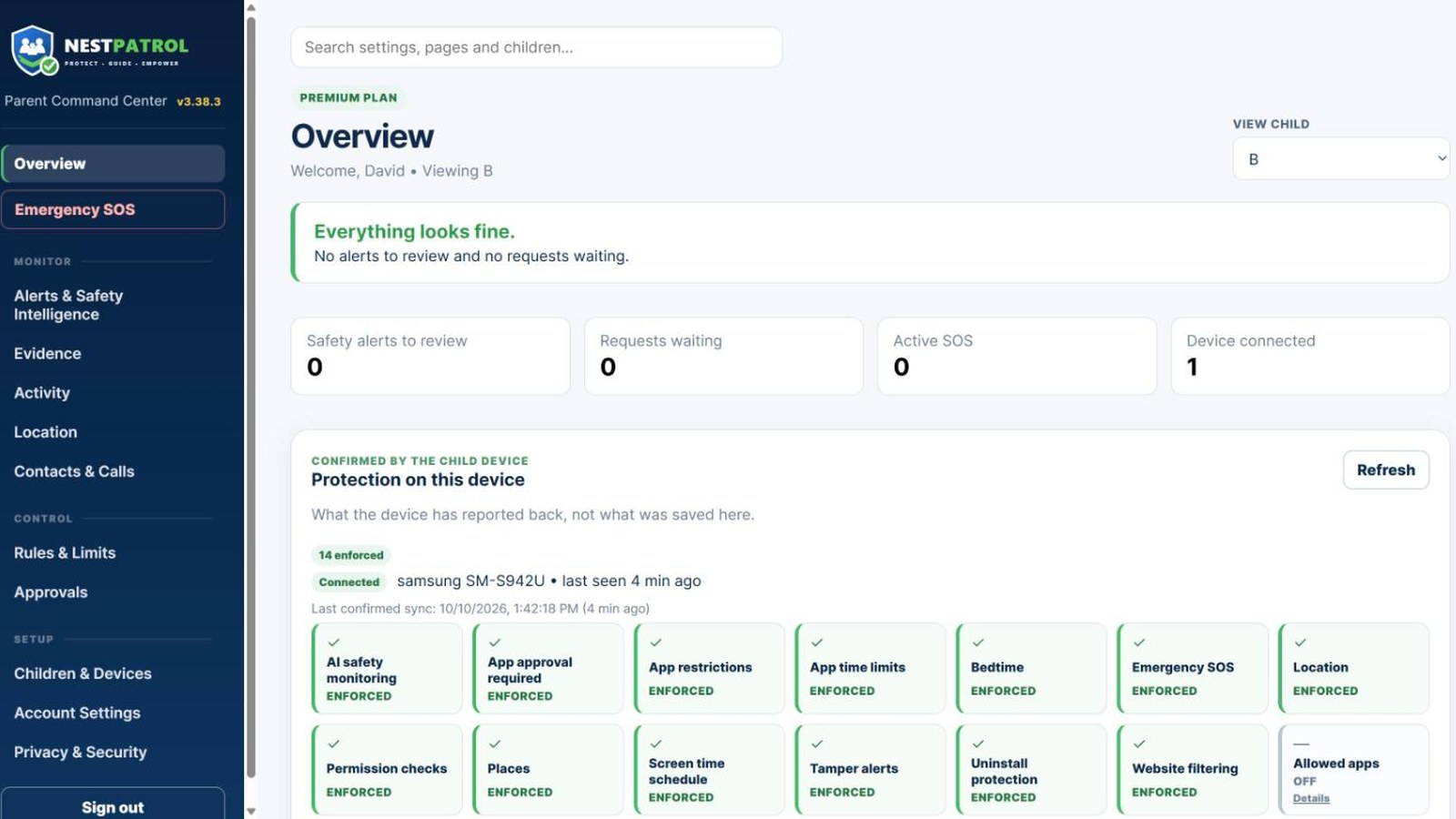
- Lock or unlock a child's device
- Screen time, bedtime and school-focus rules
- Alerts, reports and Family Timeline
- Add children and enroll devices
NestPatrol runs on Android phones today. The iPhone apps are coming very soon. Apple and Google give apps different tools, so a few features work on one type of phone only. See which features work on which phone.
NestPatrol is for parents and legal guardians supervising their own minor children. It is not for monitoring adults without their informed consent, and it is not designed to be hidden.
Built around your judgment, not surveillance
NestPatrol brings enrolled-device information into one parent dashboard. Enrollment stays visible on the child device. Parents review the context and make the decision.
Control your child’s device from the app or your browser
Every control works from the Parent App and from the browser dashboard at app.nestpatrol.com. Both use the same account and the same rules, so a change in one shows in the other. From either one you can:
- Lock your child’s phone right now and unlock it again. Calls and emergency contacts keep working.
- Set daily screen time, bedtime, and school focus hours, and add extra time for today.
- Block or allow apps and websites, and switch web filtering on or off.
- Approve or deny your child’s requests, and reply to their messages.
- Approve, block, or delete phone contacts, and assign emergency contacts.
- Review alerts, location, and reports.
Rules reach the phone within moments when it is online. A phone that is off or offline applies them the next time it connects. Until the iPhone Parent App arrives, parents on iPhone use the browser dashboard in Safari.
Safety alerts
Safety alerts come from Android child phones. They are not part of the iPhone apps. The current system can record potential cyberbullying, grooming, self-harm language, sexting, explicit-content, threat, and scam signals. Alerts can include category, severity, confidence, explanation, evidence summary, and review status. Automated analysis can be wrong and does not replace parent review.
Screen-time and device routines
Parents can configure schedules, school focus periods, bedtime windows, usage rules, and app-approval settings per enrolled child device, from the Parent App or the browser dashboard. Rules are enforced on the phone itself, so they keep working after a restart and without a connection. Every time-based block tells the child when it ends, and calls and messages keep working.
Optional location and geofences
Location is optional and requires child-device permissions. The platform supports current location, history, saved places, and geofences. When your child arrives at or leaves a saved place, you get a notification. Locate Now, an on-demand location fix, is included on every plan. Continuous, real-time tracking while a session is active is included on Complete, and available on Essential and Plus as the Live Location add-on for $2.99/mo. On the browser dashboard, the live map lists each location point with its time, its address, and the place name when one is known, and shows the point on the map.
Contacts and call protection
With permission, NestPatrol syncs the contact list from your child’s phone to your dashboard. New numbers wait for your decision: approve, block, or delete. Blocked numbers cannot call or text; deleted numbers stay off even if your child re-adds them. You can also assign your own emergency contacts, which show on your child’s Help screen, in their phone contacts, and on a locked phone.
Web filtering
On Android, NestPatrol blocks adult sites in every browser on the child’s phone, including private browsing. It also blocks the encrypted DNS that Chrome, Firefox, and other browsers use to slip past most filters, so the block holds where competitors quietly fail. Filtering runs on the device itself, so browsing is not routed through NestPatrol servers. The phone checks each site name against NestPatrol’s own block list and adult-word rules first, then sends the lookup to a family-safe DNS filter. NestPatrol keeps a list of filters, and the phone uses the first one that answers and checks again each time it syncs. It filters by site name and category, not by reading each page. A separate VPN app a teen installs can interrupt filtering. When that happens, the parent is alerted.
Browser Rules
Block sites and words of your own, and always allow sites you trust, for every child or for one child. The phone enforces your list on the device, in every browser, including private browsing. On the browser dashboard, open Control, then Browser Rules, and add one site (such as example.com) or one word per line. A site rule covers its subdomains. A word blocks any site with that word in its name. Words work for blocking only. Your always-allow list overrides NestPatrol’s built-in word rules for that site. Sites on the NestPatrol team’s own block list stay blocked.
Browser Rules is included with Plus and Complete, and available on Essential as an add-on for $1.99/mo. You manage the list from the browser dashboard. It works on Android child phones.
Parent approvals and messages
A child can request a temporary pause, an app unblock, extra time, or an uninstall approval. Parents approve or deny each request from the Parent App or the browser dashboard. A child can also send a plain message, like a pickup request, and the parent can reply.
Emergency SOS
A child can confirm and send an SOS to the parent account. The event can include available location, location accuracy, battery level, device information, time, and an optional message. Parents can acknowledge the event and mark the child safe.
NestPatrol is not an emergency service and does not replace calling local emergency services.
Device and activity information
For every enrolled device, the family dashboard shows device health, battery, charging state, network, and protection status. On Android child phones it also shows the Android version, installed-app inventory, and recorded usage, where Android permissions allow.
Reports, summaries, and trends
Weekly reports show total screen time, daily averages, and app activity with real app names. The Family Timeline organizes device, location, app, approval, safety, and emergency events in order. AI summaries carry their supporting context so you can check them.
Included with Complete
Complete adds screenshot evidence and the evidence centre. Screenshot evidence works on Android child phones only. Screenshot capture requires a separate consent step for each child and can be withdrawn at any time; screenshots cannot be captured in a browser’s private mode, which the device itself blocks. Complete also includes the AI safety add-ons: the NestPatrol Safety Assistant, phishing and scam detection, and Wi-Fi safety.
Which features work on which phone
The Android apps are on Google Play now. The iPhone apps are coming very soon. Both phone types share the core of NestPatrol: your account, your dashboard, location and saved places, Emergency SOS, messages, approvals, screen time rules, and web filtering. Apple and Google give apps different tools, so some features work on one type of phone only. Anything not named below works on both.
Android child phones only
- Safety alerts from on-screen text, such as cyberbullying, grooming, self-harm language, and scams.
- Screenshot evidence on Complete.
- Browser Rules, enforced on the phone.
- Installed-app list and per-app usage reports.
- Web filtering in every browser, including private browsing, with encrypted DNS blocked.
- Blocking texts and outgoing calls for blocked numbers, and call history.
- Locate Now and live tracking sessions.
Built for iPhone, using Apple’s tools
- Screen time, bedtime, and school focus controls run through Apple’s Screen Time. Your child allows Screen Time access during setup and chooses apps in Apple’s Screen Time picker.
- Approve or deny your child’s requests from the notification on your iPhone.
- A Home Screen widget shows your family’s status at a glance.
- An SOS Live Activity keeps an open SOS on your Lock Screen.
On iPhone, web filtering blocks adult sites through Apple’s website filter, plus a family-safe DNS setting you switch on in iPhone Settings. Blocked numbers cannot call your child’s iPhone.
The browser dashboard works the same for every family, on any computer, tablet, or phone.
If a capability is not listed on this page, NestPatrol does not represent it as built or available.