Frequently Asked Questions
Control it from the Parent app, your browser, or both.
Both use the same NestPatrol account. Change a rule on your phone and it shows in your browser. Change it in your browser and it shows in the app. Your child's device receives the update either way.
Parent app
Best for quick actions during the day: lock a device, add 15 minutes, answer an SOS, approve a request, reply to a message.
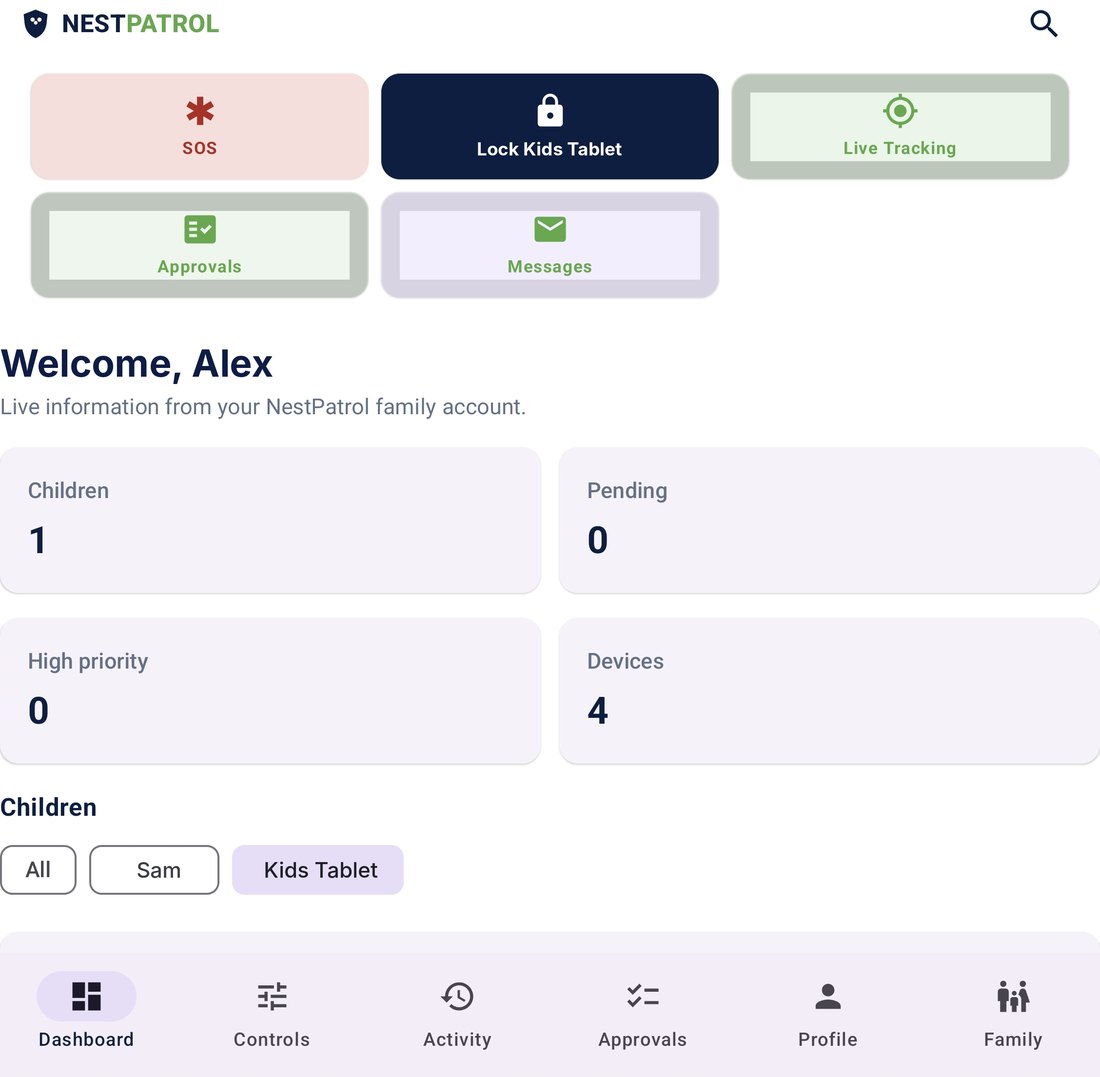
- Lock or unlock a child's device
- SOS alerts and live tracking
- Approve or deny requests
- Message your child
Browser dashboard
Best for setup and review on a bigger screen: write rules, check reports, manage every child and device. Nothing to install. Sign in at app.nestpatrol.com.
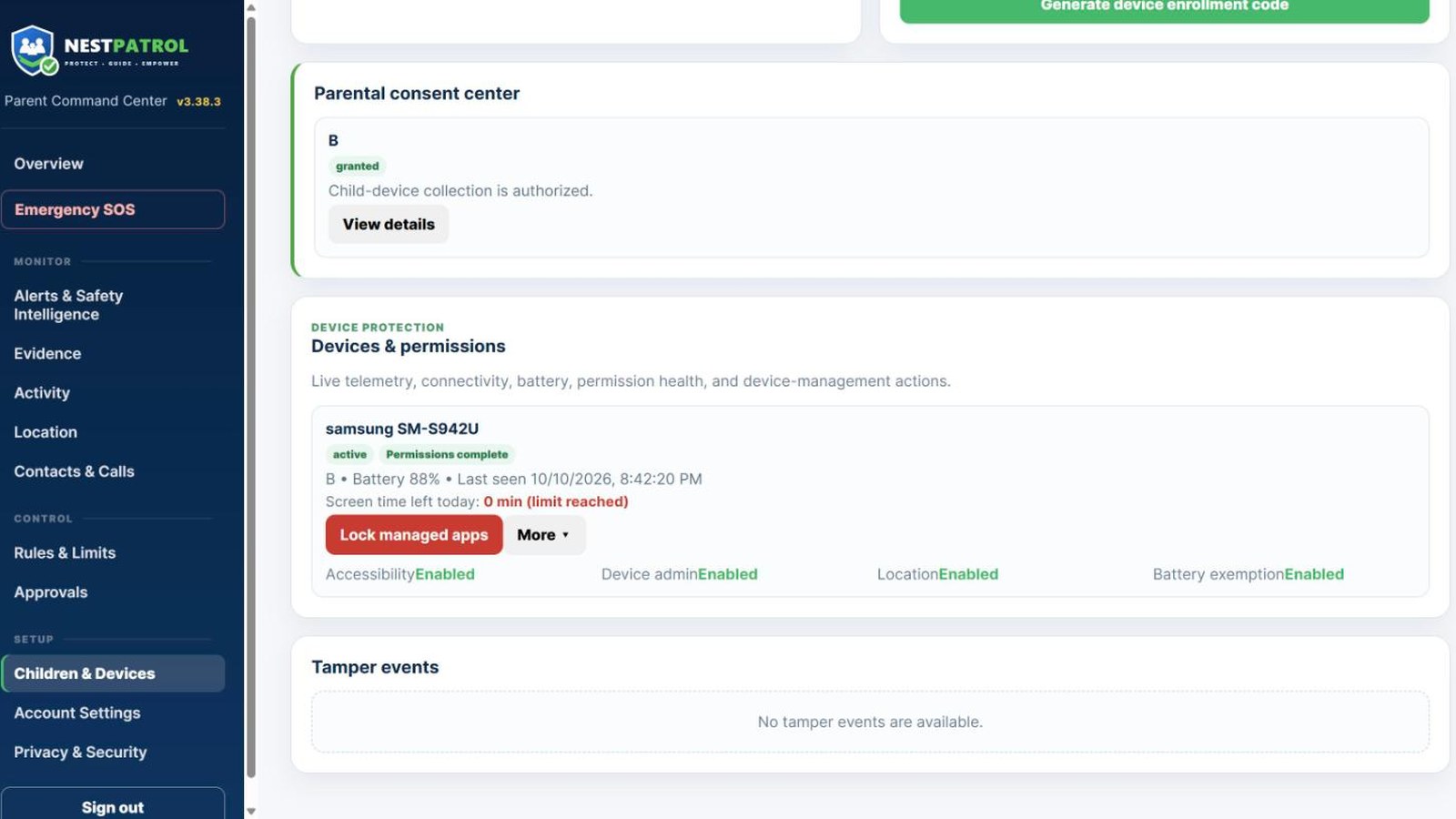
- Lock or unlock a child's device
- Screen time, bedtime and school-focus rules
- Alerts, reports and Family Timeline
- Add children and enroll devices
About the product
Can another parent or guardian access the account?
Yes. You can invite another parent or guardian from the browser dashboard. Each guardian signs in with their own account.
Can I use NestPatrol to monitor an adult?
Only with that adult's informed consent and lawful authority. Using NestPatrol to track a partner, former partner, or another adult without consent is prohibited and may be unlawful.
Do all features work on both Android and iPhone?
No. Apple and Google give apps different tools, so some features work on one type of phone only. Android only: safety alerts from on-screen text, screenshot evidence, the installed-app list and usage reports, web filtering in every browser, text blocking, and Locate Now. Built for iPhone: controls through Apple Screen Time, approvals from the notification, the Home Screen widget, and the SOS Live Activity. The Features page lists them all.
Is NestPatrol hidden on my child’s device?
No. Enrollment is visible. The child can see that NestPatrol is installed. Hiding it or working around its disclosures violates the Terms.
What is NestPatrol?
A family digital-safety platform for Android, with iPhone coming very soon. It combines supervised-device oversight, screen-time routines, optional location tools, reports, and AI-assisted safety alerts in one parent dashboard.
Where do I download the apps?
The Download page has both apps and the setup order. Install the Parent App on your phone and the Kids App on your child's phone.
Which devices are supported?
Android phones today. The iPhone apps are coming very soon. The parent dashboard runs in any modern browser, including Safari on iPhone.
Will NestPatrol affect battery life?
Background monitoring uses power. We are testing and tuning battery impact and will publish measured numbers as that work completes.
Alerts and AI
Can NestPatrol guarantee my child will be safe?
No. No product can prevent every harmful interaction. NestPatrol gives you more visibility, not a guarantee.
Can the AI be wrong?
Yes. Sarcasm, jokes, song lyrics, reclaimed language, and normal arguments all get misclassified by systems like ours. Every alert needs a human read.
Does AI make final decisions?
No. Nothing triggers an automatic consequence. Alerts inform you. You act.
Does NestPatrol contact police or schools automatically?
No. We never report to authorities, schools, or any other organization on your behalf.
What happens when an alert appears?
You see the category, severity, confidence level, explanation, and review status. You decide what to do.
Emergencies and limits
Is NestPatrol medical or legal advice?
No. Nothing in the product or on this site is medical, legal, therapeutic, or emergency advice.
What should I do if my child is in immediate danger?
Call 911 or your local emergency number. Do not rely on the app.
Plans and billing
Can I cancel during the trial?
Yes. Cancel in the parent billing portal before the trial ends to prevent the automatic charge.
Can I pay monthly or annually?
Monthly and annual billing are available on Essential, Plus, and Complete.
How does the trial work?
Secure Stripe checkout requires a payment method. Every plan starts with a 14-day free trial, then bills automatically unless canceled.
Is there a free trial?
Yes. Every plan starts with a 14-day free trial. A payment method is required, and billing starts automatically unless you cancel before the trial ends.
Is there a permanent free plan?
No. Essential, Plus, and Complete include a 14-day free trial.
What is Browser Rules?
It lets you block your own sites and words, and always allow sites you trust, for every child or for one child. The phone enforces the list in every browser, including private browsing. It is included with Plus and Complete, and Essential families can add it for $1.99 per month.
What is the difference between Essential, Plus, and Complete?
Essential covers up to 2 children and 5 devices with activity, safety alerts, adult-site filtering, screen time, and daily and weekly reports. Plus covers up to 5 children and 10 devices and adds saved places and geofences, family rules, approvals, remote lock, a weekly AI summary, and Browser Rules. Complete covers unlimited children and up to 20 devices and adds AI safety incidents, screenshot evidence, the Evidence Center, monthly and PDF reports, extended history, live location, the Safety Assistant, scam detection, Wi-Fi safety alerts, and priority support. See the plans page for the full table.
When can I sign up?
You can sign up now at app.nestpatrol.com and start a 14-day free trial.
When does paid access start?
The trial begins after secure checkout is completed. Billing begins after 14 days unless canceled.
Privacy and data
Can I delete my data?
Yes. Submit a deletion request through the parent portal or email support@nestpatrol.com from your account address. We may keep limited records required for legal, billing, security, fraud-prevention, or dispute purposes.
Can I turn location off?
Yes. Location is off until you turn it on, and you can turn it back off at any time.
Does NestPatrol read every message?
No. We collect what the features you enabled require, and surface what those features flag. What is technically available depends on the type of phone, its permissions, and the settings you choose.
Does NestPatrol sell personal data?
No. We do not sell personal information or share it for advertising. Our business model is subscriptions.
How long is family data kept?
Retention varies by data type, enabled feature, account status, legal requirements, and plan. Final production retention schedules must be approved before paid launch.